
Yes, we support Vray!
We provide seamless V-Ray integration across all our supported applications, with more than 10 V-Ray versions available to ensure compatibility with any project. Our platform supports all key V-Ray features, including Render Elements, Cryptomatte, and more, delivering a powerful and reliable rendering experience. Discover how we optimize V-Ray rendering to elevate your workflow below.
Supported software
Our system automatically detects your exact Vray version and recreates that environment on the farm before your job starts. With supported versions from legacy releases to the latest builds, you never need to change your local setup before submitting.
Nothing found!
Every Vray version supported
300+ intelligent project checks
So your project will always work perfectly.
Render elements
Tile rendering
One click project submission
RTX
ON
RTX
ON
Direct file output
No need to wait around - each completed frame is automatically downloaded straight to your hard drive.
Cryptomatte
Our Cinema 4D plugin
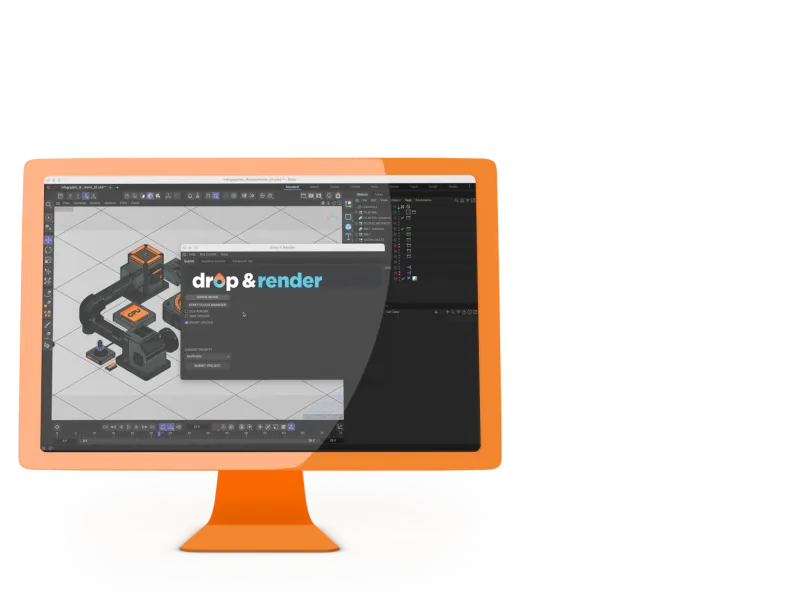
Our in-app plugin for Cinema 4D makes V-Ray rendering effortless and efficient. You can submit your projects directly from the application without any interruptions to your workflow. The plugin automatically analyzes your scene, performs advanced V-Ray-specific checks, and ensures all settings are perfectly optimized.
With full support for your preferred V-Ray version and no need to worry about remapping assets, Drop & Render delivers a rendering experience that feels as smooth as working locally, enhanced by the power and speed of our render farm. Let us handle the technical details while you focus on creating stunning visuals.
Get started with Vray
Our Quick Guide video for Vray shows you how to start rendering with us in just 2 minutes. After that, it’s just like rendering on your own machine - except a whole lot faster!


Supported software
Company details
We'll start you off with €25 credits!